How to Choose the Right Custom Booklet Printing for Your Project
When I first started ordering printed materials for small business clients, I learned quickly that not all booklets are created equal. A training manual needs different specs than a glossy marketing brochure, and the wrong choice can leave you with a stack of unusable pages. Over the years, I have worked with dozens of print shops, and I have seen how the right approach to custom booklet printing can make the difference between a project that feels professional and one that feels cheap.
The printing industry has changed a lot since the days when offset printing was the only reliable option for booklets. Today, digital printing gives you short-run printing capabilities that were impossible twenty years ago. That shift means even a small business in Lancaster can order fifty copies of a portfolio book without paying setup costs that would have killed the budget. But with more options come more decisions. Let me walk through the key considerations I have learned to weigh when planning a booklet project.
Start with the Purpose and Audience
Before you even think about paper or binding, ask yourself what this booklet needs to do. Is it a training manual that will get heavy use and need to lie flat on a desk? Or is it an event program that people will flip through once and then discard? The answer changes everything about your specifications.
For marketing brochures, I always prioritize visual appeal. Full-color printing on coated paper gives images that pop and feel substantial in the hand. Coated paper also resists fingerprints and smudges, which matters when a brochure gets passed around at a trade show. For training manuals, on the other hand, I prefer uncoated paper. It reduces glare under overhead lights, takes pen notes well, and feels more like a workbook than a sales piece. The same custom booklet printing service can handle both, but the paper choice alone changes the reader's experience.
Binding Options That Matter
Booklet binding is one of those details that seems minor until you get it wrong. Saddle stitching works beautifully for booklets under about sixty pages. It is economical, opens flat, and gives a clean professional look. I have used saddle stitching for event programs and short training handouts for years, and it rarely disappoints. But if your booklet runs longer, saddle stitching can struggle. Pages may not close perfectly, and the inner margins get tight.

Perfect binding is the better choice for thicker books like portfolio books or comprehensive training manuals. It gives you a square spine that you can print on, which looks great on a shelf. The trade-off is that perfect binding does not let the book stay open on its own as easily as saddle stitching does. You have to press it open, which can annoy someone trying to follow a recipe or a diagram. I usually recommend perfect binding for pieces that will be read at a desk or table, not for something someone will hold in one hand at an event.
Every print shop has its own strengths. When I work with a shop in Lancaster, I appreciate that the customer support team can walk me through these trade-offs in person. That local touch matters more than you might think when you are deciding between trim size options or checking proofing services before the press run.
Paper, Finish, and the Feel Factor
Paper choice is where many people get stuck. I have seen clients agonize over whether to use coated or uncoated stock, and the truth is that both can work beautifully depending on the project. Coated paper gives you a high-quality finish that feels smooth and slightly glossy. It holds ink well and makes full-color images look saturated. For a portfolio book aimed at impressing investors, that glossy feel communicates polish and attention to detail.
Uncoated paper has a different kind of appeal. It feels warm and natural, and it absorbs ink in a way that softens the look. I have used uncoated stock for annual reports and literary magazines where the goal was understated elegance rather than flash. The texture also makes text easier to read for long stretches, which is why many training manuals still use it. If you are ordering custom booklet printing for a project that involves a lot of reading, consider uncoated paper seriously.
Short-run printing lets you experiment with paper options without committing to a huge order. I have ordered a test run of fifty booklets on coated paper and another fifty on uncoated, then handed both to colleagues for feedback. That kind of practical testing beats any theoretical advice I could give. Most print shops offer proofing services that let you see a physical sample before the full run. Take advantage of that. It saves headaches later.
Bleed Settings and Trim Size Details
One mistake I see often is neglecting bleed settings. If you want color or images to go right to the edge of the page, your file needs to extend past the trim line by about an eighth of an inch on each side. Without proper bleed, you end up with a thin white border on one or more edges after trimming. That looks sloppy, and it is entirely avoidable. Every professional print shop provides bleed guidelines, but I have learned to check them myself before sending files.
Trim size is another variable that matters more than you might expect. A standard 8.5 by 11 inch booklet feels different from a square 8 by 8 inch one. Square booklets look modern and work well for portfolios and photo books. Standard sizes are cheaper because the press handles them more efficiently, but if you need a custom trim size for a specific shelf or binder, most shops can accommodate it. Just be prepared for slightly higher costs and longer lead times.
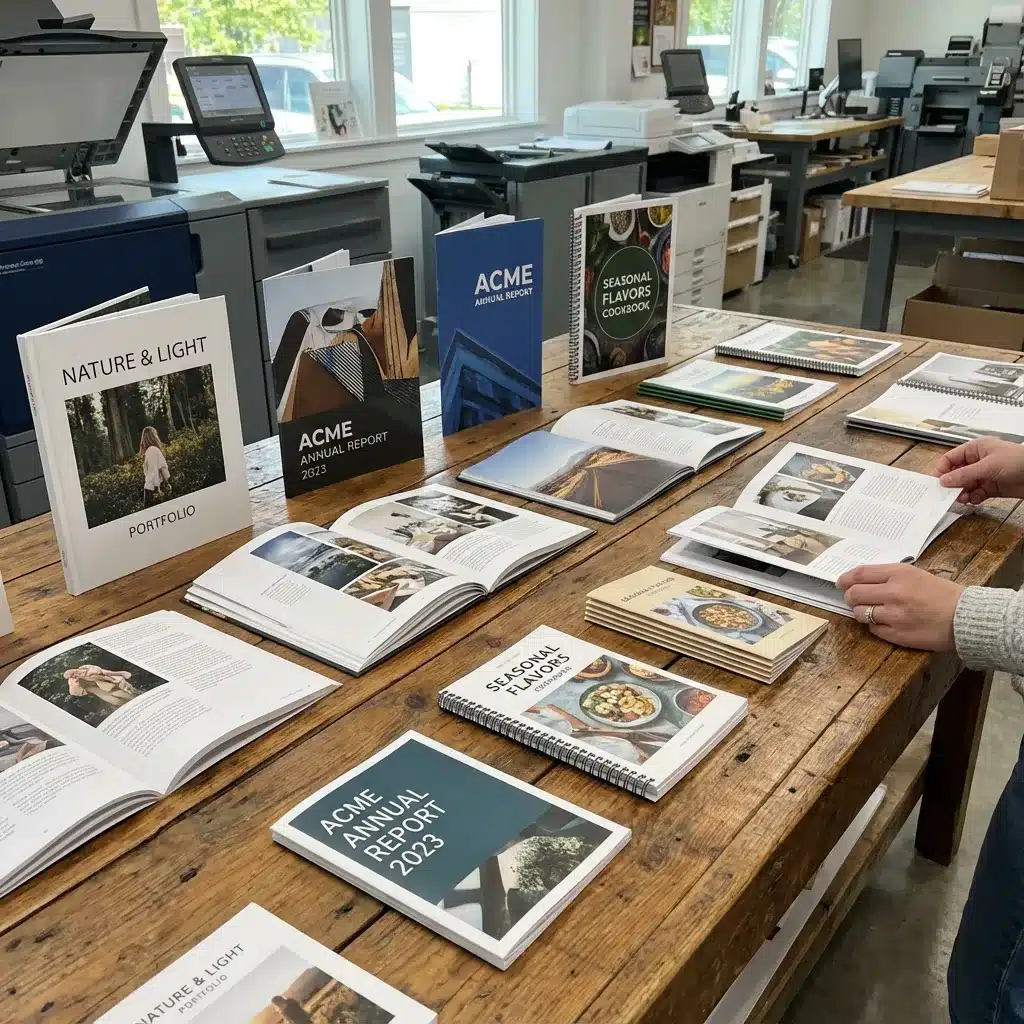
Digital vs. Offset: Which Process Fits?
The printing industry still runs on two main technologies, and each has its place. Digital printing is ideal for short-run printing and projects that need quick turnaround. Setup is minimal, so you can order fifty booklets without paying for plates or makeready time. I use digital for client proofs, small event programs, and any project where I might need to make last-minute changes.
Offset printing becomes cost-effective at higher quantities. Once you hit about five hundred copies, offset gives you a lower per-unit cost and slightly better color consistency on large runs. If you are printing several thousand training manuals or marketing brochures, offset is probably the way to go. The trade-off is that offset requires plates and setup time, so small corrections mid-run become expensive.
Many Lancaster print shops offer both options. I have worked with shops that let me start with a digital proof, get sign-off on the color and layout, and then move to offset for the final run. That hybrid approach gives you the best of both worlds, provided you build enough time into the schedule.
Practical Tips from Years of Ordering Booklets
Here are a few concrete things I have learned the hard way:
- Always order at least ten percent extra copies. Misprints happen, and having extras saves a rush reorder.
- Request a physical proof before the full run. Screen proofs miss paper texture and color shifts.
- Check the spine margin on perfect-bound books. Too narrow and text gets lost in the gutter.
- For saddle-stitched booklets, keep the page count in multiples of four. Odd counts cause blank pages.
- Ask about turnaround time up front. Digital printing can be same week, but offset often takes two to three weeks.
These rules have saved me from more than a few embarrassing deliveries. The last thing you want is to hand a client a portfolio book with the spine text cut off or a training manual that refuses to stay open.
Local Support and the Value of a Real Conversation
One advantage of working with a local provider in Lancaster is the ability to have a real conversation about your project. When I call a shop and describe what I need, the customer support team can ask clarifying questions that an online form never would. They might suggest a different binding method or point out that your bleed settings are off before you ever upload a file. That kind of hands-on guidance is rare in the age of automated ordering, and it can prevent costly mistakes.

I have also found that local shops are more willing to do small test runs or accommodate unusual trim sizes. They have a stake in the community and want your project to turn out well. That personal accountability translates into better attention to detail.
If you are planning a project that involves custom booklet printing, I recommend starting a conversation early. Share your goals, your audience, and your timeline. A good printer will help you navigate the choices around booklet binding, paper selection, and finishing options. They can also alert you to potential issues with your file setup before you commit to a run.
The best projects I have managed were the ones where I treated the printer as a partner rather than a vendor. That shift in mindset changed how I approached everything from bleed settings to trim size decisions. It also made the final product consistently better.